Your licence
Try Nifty free for 14 days, then add a licence key to keep making changes.
On this page
Nifty is free for 14 days from the first time you open it. After that it's read-only until you add a licence: you can still open, search and download everything. A licence keeps working for good, and gets you every version released until its Updates until date.
The free trial
The first time you open Nifty, it asks how you'd like to start: choose Start free trial, or I have a licence key to paste one. The trial runs from that first launch either way.
Nifty → Licence… shows how long is left. In the last 3 days a banner says when the trial ends; its × hides it until tomorrow.
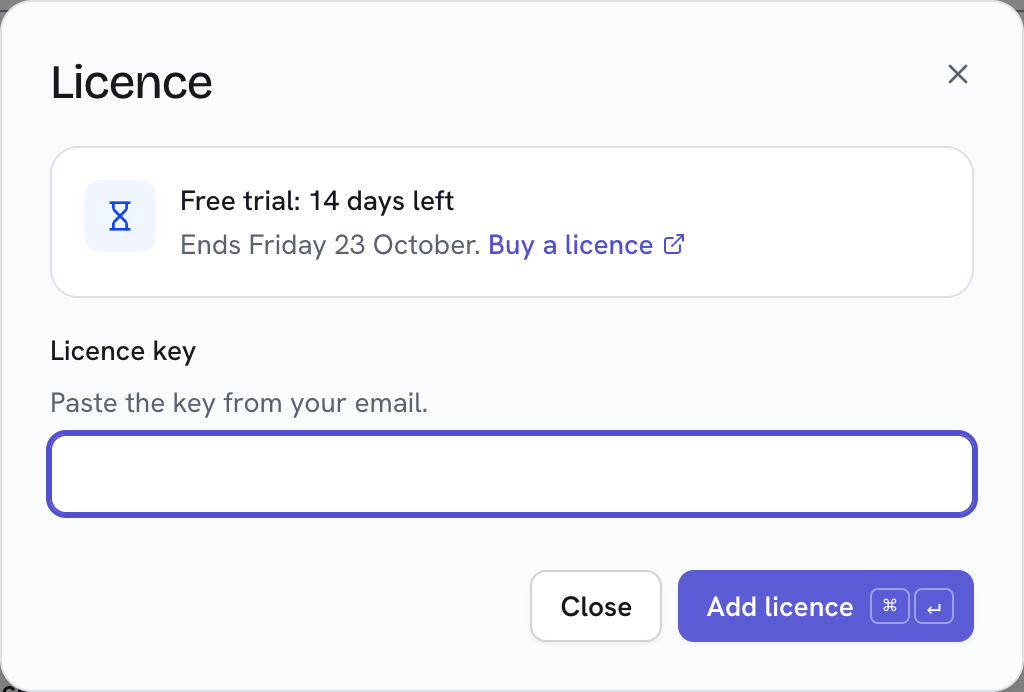
Buy a licence opens niftyware.io/buy. Your key arrives by email.
Add your licence
- Choose Nifty → Licence….
- Paste the key from your email into Licence key.
- Choose Add licence, or press ⌘↵.
A key split across lines by your email is fine. If a key won't go in, Nifty says why and keeps what you pasted.
The banner's Add licence… and the Licence… link in Nifty → About Nifty open the same window, as does searching
for licence with ⌘K.
See your licence
Nifty → Licence… shows who it's licensed to, the email, Updates until, the key's ID and, for a key you bought, its Order. Quote the ID or order if you email support.

Renew or replace your key
- Choose Nifty → Licence…, then Replace key….
- Paste the new key.
- Choose Replace key.
To renew, buy a renewal at niftyware.io/buy and replace your key with the new one.
When Nifty is read-only
When the trial ends without a licence that covers your version (a newer version refuses a revoked key), a banner says so at the top of every page.
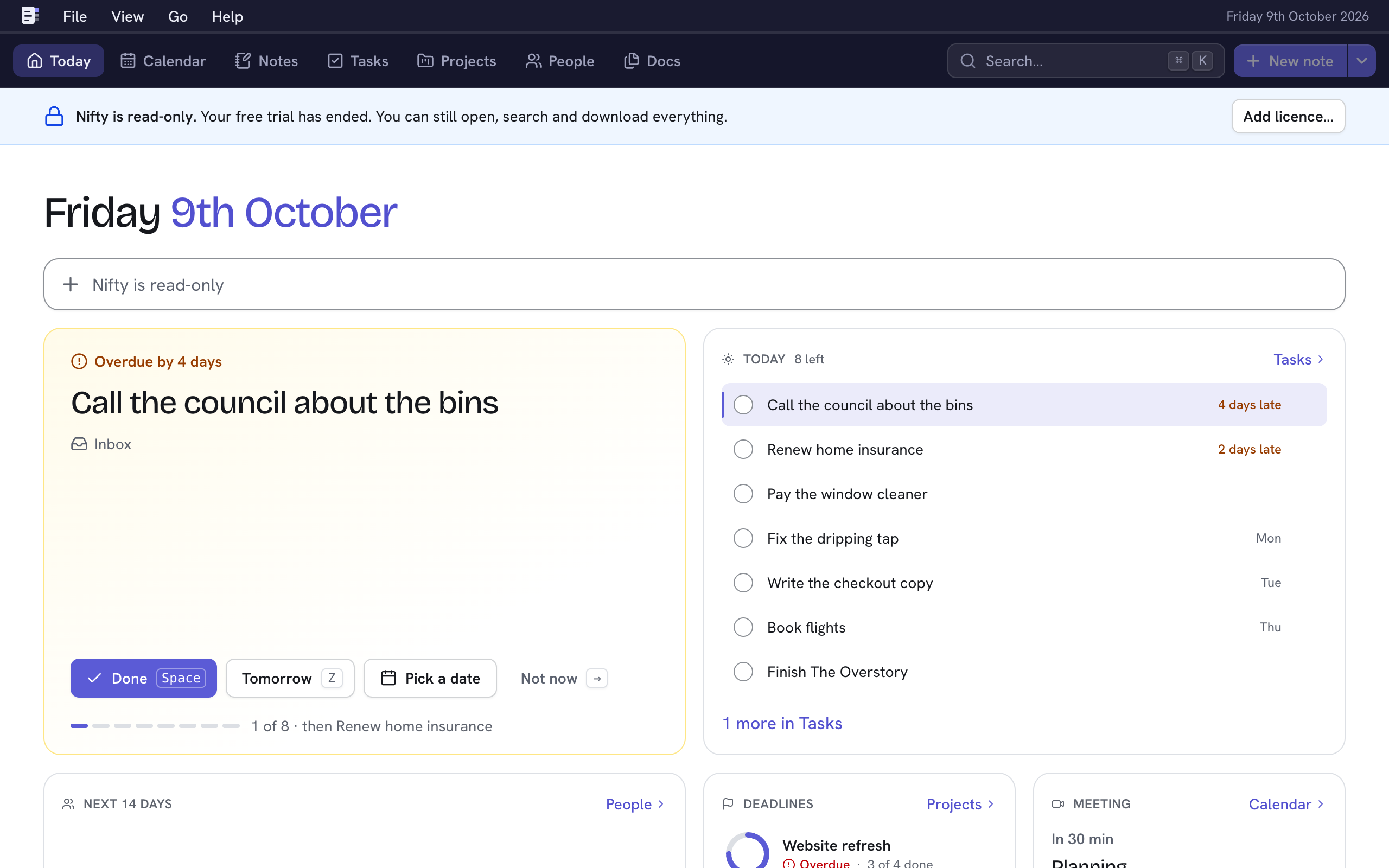
- Still works: opening, searching and downloading everything; signing in, your password and API tokens; appearance and updates.
- Paused: adding and changing things. New note and the other create buttons are greyed out, and their keys say why.
- A note you're typing when the trial ends stays in the editor, with Couldn't save: Nifty is read-only. It saves once you add a licence and type again.
Add a licence and everything works again straight away. Nothing is deleted.
When your updates end
Nifty keeps working after Updates until. Newer versions still show in Nifty → About Nifty, with Renew your licence, but they aren't installed. Renew, replace your key, then update.
If your key is revoked
A revoked key (a refunded order's key is) keeps working on the version you have. Versions released after it was
revoked refuse it: after updating to one, Nifty → Licence… says the key has been revoked, and Nifty works as if
it had no licence (read-only once the free trial has ended) until you add a valid one. If you think that's a mistake, email [email protected] with your key's ID or order.
On a server
Add a licence from the server's command line, without a browser. On a Linux server installed with install.sh:
sudo -u nifty /usr/local/bin/nifty licence add --data /var/lib/niftyPaste the key, then press CtrlD. It runs beside the server; there's no need to restart.
nifty licence (same --data) shows the licence and its key ID.