Today
What to do next, who has a birthday, what's due and your next meeting, on one page.
Today is where Nifty opens. It shows the one task to do next, the rest of today's tasks, and what's coming up. Press G then H from anywhere to come back.
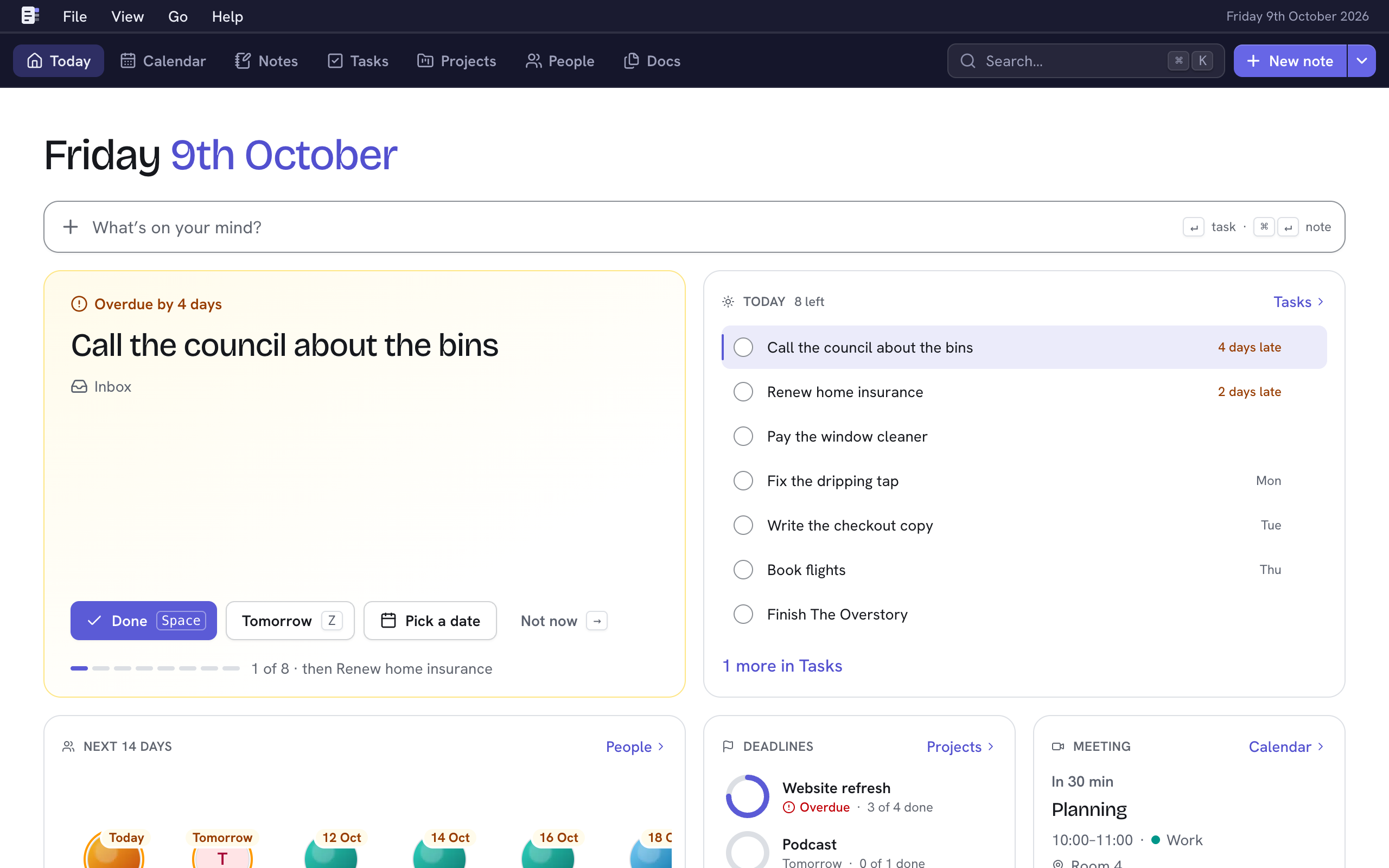
Capture a thought
Type into What's on your mind? at the top (or press N to get there), then:
- ↵ adds it as a task for today, in your Inbox. The field clears for the next one.
- ⌘↵ (Ctrl↵ on Windows and Linux) starts a note with it as the title.
- Esc leaves the field and keeps what you typed.
Work through Up next
The big card shows one task: the first open one on today's list. Do it, or move it on:
| Choose | Key | Does |
|---|---|---|
| Done | Space | Completes it and shows the next. |
| Tomorrow | Z | Moves it to tomorrow. |
| Pick a date | Moves it to a day you choose. | |
| Not now | → | Skips to the next without changing anything. |
Done and Tomorrow can be undone from the message that appears (U). Choose the task's title to open it. When the list is empty, the card says Nothing left for today.
Today's tasks
The Today tile lists everything overdue, due today, or started by today, in deadline order. Tick a task to complete it; choose its title to open it. Tasks at the top goes to the full task lists. See Tasks.
The other tiles
| Tile | Shows |
|---|---|
| Next 14 days | Birthdays and other key dates coming up. |
| Deadlines | Your projects with the nearest deadlines, and how many of their tasks are done. |
| Meeting | Your current or next meeting from your calendars, with Join from 15 minutes before it starts. |
| Pinned | Your pinned notes. |
| Latest notes | The notes you edited last. |
Each tile's link (People, Projects, Calendar, Notes) opens that area.