Notes
Write things down, find them again, and link them to people and projects.
Press ⇧N anywhere to start a note. It saves as you type, so there's no Save button: choose Done (⌘↵) when you've finished. To get to Notes, press G then N.
Start a note
Any of these opens a blank note:
- New note in the top bar, or ⇧N.
- The + at the top of the notes list.
- File → New note.
- On a person or project, Add a note about… (N). The note starts with them already mentioned.
- On Today, type in the capture bar and press ⌘↵. See Today.
A title is optional. Without one, a note goes by its first words. To write in it, see Writing notes.
Read and edit a note
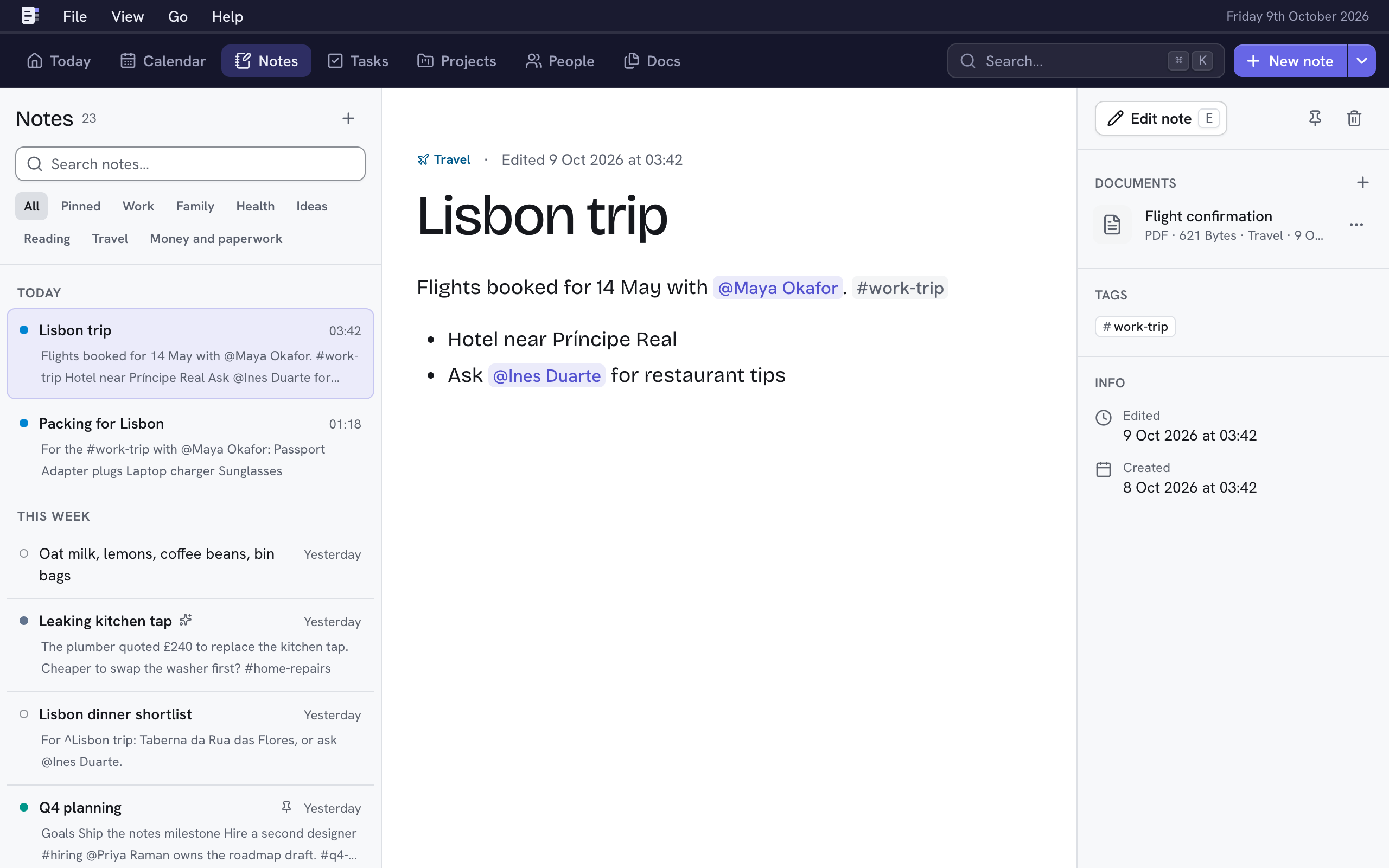
Choose a note in the list to read it. Its details sit on the right: linked documents, tags, and when it was made and edited. Choose a document to view it over the page; the + beside Documents adds more.
- Edit note (E) opens it in the editor.
- Tick a checklist item right there in the note: choose its box, or press Space on it.
- J and K open the next and previous note in the list.
- [ hides or shows the list, ] the details. View → Wide text gives long notes more room.
Find a note
- Type in Search notes above the list. The best matches come first.
- Choose Pinned or a category under the search to see only those notes. All shows everything again.
- Choose a tag in a note to see every note with that tag.
- Press ⌘K to search notes, people, projects and more at once. See Search.
Delete a note
Choose the bin icon, Delete note, beside Edit note (or File → Delete note…), then Delete note. You can undo for 20 seconds. A note's images go with it.
Emptied a note by mistake? Choosing Done on a note with no text left asks before deleting it, and you can still undo.